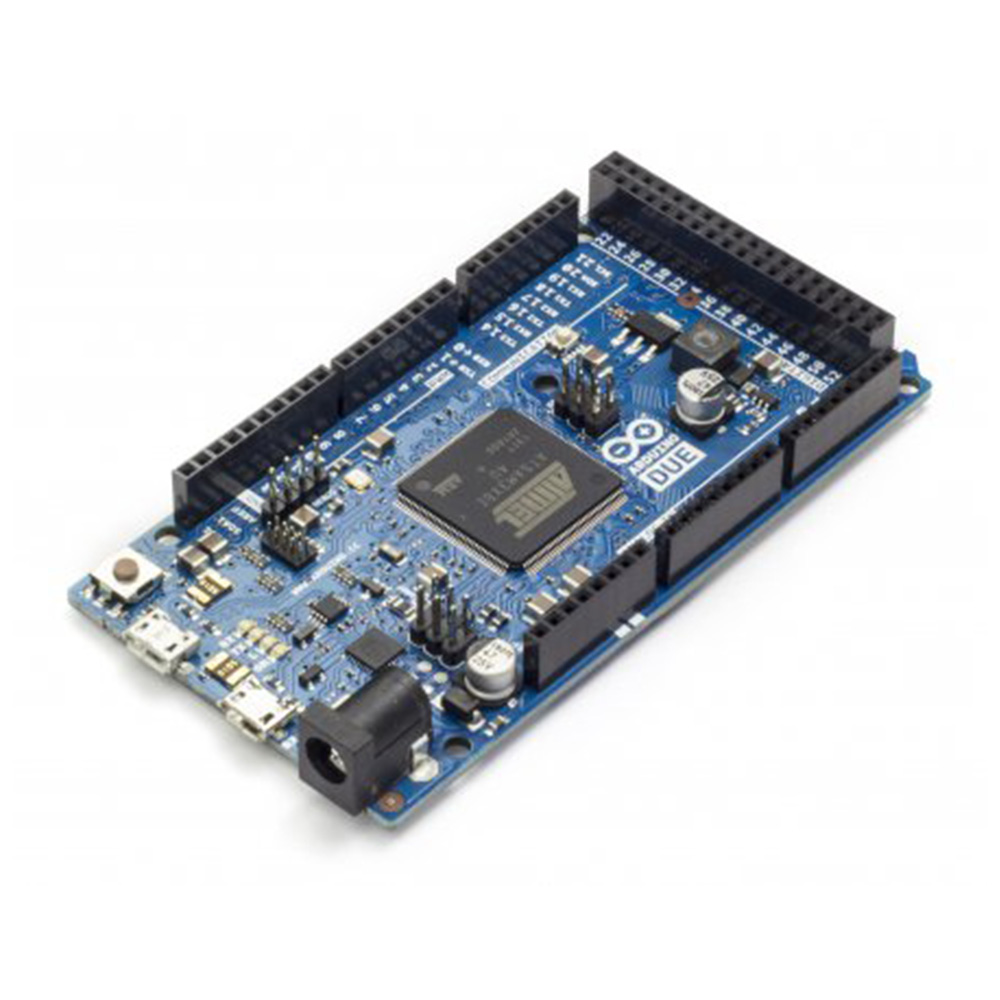
Arduino Due Board 32 bit ARM Cortex-M3
The Arduino Due Board is a powerful microcontroller board based on the 32-bit ARM Cortex-M3 CPU (Atmel SAM3X8E), designed for advanced projects requiring higher processing speed and more memory compared to traditional Arduino boards. Operating at 84 MHz, it delivers fast computation, making it suitable for real-time applications and complex tasks. The board features 54 digital input/output pins (of which 12 can be used as PWM outputs), 12 analog inputs, 4 UARTs, 2 DACs, 2 I²C interfaces, a USB OTG capability, and a CAN bus, offering wide flexibility for connectivity and control. With 512 KB flash memory and 96 KB SRAM, it provides ample space for large programs and data handling. Unlike most Arduino boards, the Due operates at 3.3V logic level, making it essential to use compatible shields and components. Ideal for robotics, automation, and data-intensive applications, the Arduino Due gives makers and engineers a robust platform to build high-performance embedded systems.
Features
- Based on Atmel SAM3X8E ARM Cortex-M3 microcontroller.
- 32-bit architecture for higher performance compared to 8-bit boards.
- 84 MHz clock speed for fast processing.
- 512 KB Flash memory for program storage.
- 96 KB SRAM for data handling.
- 54 digital I/O pins, with 12 PWM outputs.
- 12 analog input channels with 12-bit resolution.
- 2 DAC (Digital-to-Analog Converter) outputs.
- 4 UART (hardware serial) ports.
- 2 I²C and 1 SPI interface for peripheral communication.
- CAN bus interface for automotive and industrial applications.
- USB OTG support for host/device functionality.
- Operates at 3.3V logic level.
- JTAG interface for debugging.
- Compatible with most Arduino shields (3.3V compatible).
- Designed for complex, data-heavy, and real-time projects.
Pinout

Pin Configuration
| Pin Category | Quantity / Label | Description |
|---|---|---|
| Digital I/O Pins | 54 (D0–D53) | General-purpose I/O, 12 support PWM output |
| PWM Pins | 12 | Provide Pulse Width Modulation signals |
| Analog Input Pins | 12 (A0–A11) | 12-bit resolution analog-to-digital conversion |
| Analog Output Pins (DAC) | 2 (DAC0, DAC1) | 12-bit resolution digital-to-analog conversion |
| UART (Serial Ports) | 4 (Serial0–Serial3) | Hardware serial communication |
| SPI Interface | SPI Header | High-speed serial communication |
| I²C Interface | 2 (SDA/SCL, pins 20 & 21) | Inter-integrated communication |
| CAN Interface | 1 (CANRX, CANTX) | Automotive/industrial communication |
| USB Ports | Programming, Native, OTG | USB communication and programming |
| Reset Pin | RESET | Resets the microcontroller |
| Power Pins | VIN, 5V, 3.3V, GND, IOREF | Power supply and reference voltages |
| Crystal Oscillator | 32.768 kHz, 12 MHz | System clock source |
| JTAG/SWD Interface | JTAG Connector | Debugging and programming support |
Board’s 24-Pin Header pinout

Board’s 26-Pin Header pinout

SPI pinout

D22 – D53 LHS pinout

D22 – D53 RHS pinout

Debugging’s JTAG pinout

Specifications
AVR Arduino microcontroller
| Specification | Details |
| Microcontroller | Atmel SAM3X8E ARM Cortex-M3 |
| Architecture | 32-bit RISC |
| Operating Voltage | 3.3V |
| Clock Speed | 84 MHz |
| Flash Memory | 512 KB |
| SRAM | 96 KB |
| Digital I/O Pins | 54 (12 PWM) |
| Analog Input Pins | 12 (12-bit resolution) |
| Analog Output (DAC) | 2 |
| UART Ports | 4 |
| SPI Interface | 1 |
| I²C Interface | 2 |
| CAN Interface | 1 |
| USB Ports | USB OTG, Native USB, Programming USB |
| Input Voltage (Recommended) | 7V – 12V |
| Input Voltage (Limits) | 6V – 16V |
| DC Current per I/O Pin | 130 mA (max) |
| DC Current for 3.3V Pin | 800 mA |
| DC Current for 5V Pin | 800 mA |
| Operating Temperature | -40°C to +85°C |
| Board Dimensions | 101.52 mm × 53.3 mm |
How to use and connected

Powering the Board You can power the Arduino Due via:
- USB Programming Port (connected to PC for both power and code upload).
- USB Native Port (for direct communication as USB host/device).
- External power supply (7–12V recommended on the VIN pin or DC barrel jack).
Note: The Due works at 3.3V logic level. Supplying 5V to I/O pins can damage it.
Installing the Arduino IDE
- Download and install the Arduino IDE (latest version).
- Add Arduino SAM Boards (32-bit ARM Cortex-M3) support from the Boards Manager.
- Select Arduino Due (Programming Port) or Arduino Due (Native USB Port) under Tools → Board.
Connecting the Board
- Use a Micro-USB cable to connect the Due to your computer.
- Choose the correct COM port in the Arduino IDE.
Uploading Your First Program
- Open the Arduino IDE.
- Load the classic Blink example from File → Examples → Basics → Blink.
- Upload the code; the onboard LED (pin 13) should start blinking.
Using Digital and Analog Pins
- Digital I/O (D0–D53): Use digitalRead() and digitalWrite() for input/output.
- PWM Pins (12 available): Use analogWrite() to control LEDs, motors, etc.
- Analog Inputs (A0–A11): Use analogRead() for sensor data (12-bit resolution).
- DAC Outputs (DAC0 & DAC1): Use analogWrite() to generate real analog voltages.
Serial Communication
- The Due has 4 hardware serial ports (Serial, Serial1, Serial2, Serial3).
- Use Serial.begin(9600); to communicate with the Serial Monitor.
Using Special Interfaces
- I²C (SDA/SCL): Connect multiple sensors with two wires.
- SPI: Use for high-speed communication with displays, memory chips, etc.
- CAN Bus: Useful for automotive and industrial systems.
- USB OTG (Native Port): Can act as a USB host for keyboards, mice, or storage devices.
Programming Tips
- Always double-check if your shields and sensors are 3.3V compatible.
- Use the JTAG/SWD interface for debugging if needed.
- Due’s 84 MHz clock speed and 96 KB SRAM allow running advanced libraries (RTOS, DSP, etc.).
Applications
- Robotics systems requiring high-speed control and multiple sensor/actuator interfaces.
- Industrial automation with CAN bus and real-time data handling.
- IoT (Internet of Things) projects using advanced communication interfaces.
- Data acquisition systems with multiple analog inputs and DAC outputs.
- 3D printers and CNC controllers needing precise motion control.
- Wearable and biomedical devices that demand low-power, high-performance processing.
- Signal processing projects such as audio effects, waveform generation, or filtering.
- Educational and research projects involving embedded systems and ARM programming.
- Home automation systems with advanced communication protocols.
- Real-time simulation and control in scientific experiments or prototypes.
Package Contents
- 1 x Arduino Due Board 32 bit ARM Cortex-M3
Datasheet
Alternative Products
These other products might interest you